Tencil 0.8.0: update from the overlay
Update from the overlay and let Tencil find projects running in Docker or behind a backend server.
Install updates from settings
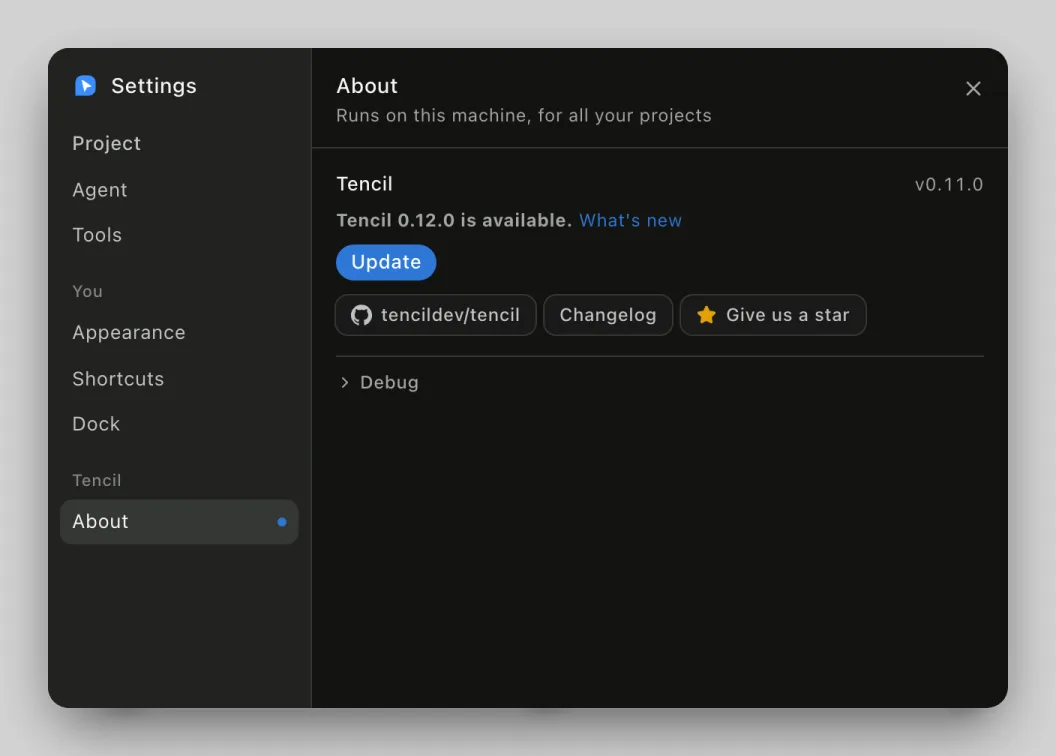
Tencil checks for new versions when the daemon starts and about once a day. Settings shows the running version. When an update is available, a dot appears on the settings button and you can click Update.
The daemon installs the update into its own copy of Tencil, waits for running threads to finish and restarts through the login service or in the background. If the new version fails to start, the old one keeps running. The overlay explains the failure and offers a command to copy. Set TENCIL_NO_UPDATE_CHECK=1 to disable checks; CI disables them too.
terminal
npx tencil@latest setupFind projects running in Docker
Pages served through a Docker-published port can now find their project without the project picker. The daemon asks Docker for the compose project’s folder. This covers Docker Desktop, docker-proxy, OrbStack, Colima and Podman.
Find the project behind a backend server
The Vite plugin and withTencil now pass the project’s git root to the daemon. Pages served by Laravel on Sail or Herd, or a backend behind a proxy, can use that folder without asking you to pick a project.
For Next.js, use withTencil in next.config. Pages using a plain <script> tag still find their project through the port.
next.config.ts
import { withTencil } from 'tencil/next';

export default withTencil({
  // your config
});Install or update Tencil
Run npx tencil in your project to get started. To update an existing install, run the command below. On Tencil 0.8.0 or later, you can also update from the overlay’s settings (About in 0.10.0 or later).
terminal
npx tencil@latest setup