Tencil 0.6.1: see when a pin needs your input
See accurate T3 Code approval and question states, with new animations for working and resolved pins.
Follow a pin’s state through its animation
New pins expand from the element you clicked. When you resolve a pin, it turns into a check and dissolves.
While the agent works, the pin takes the shape of the Tencil logo with a light travelling around its edge. This replaces the spinning ring.
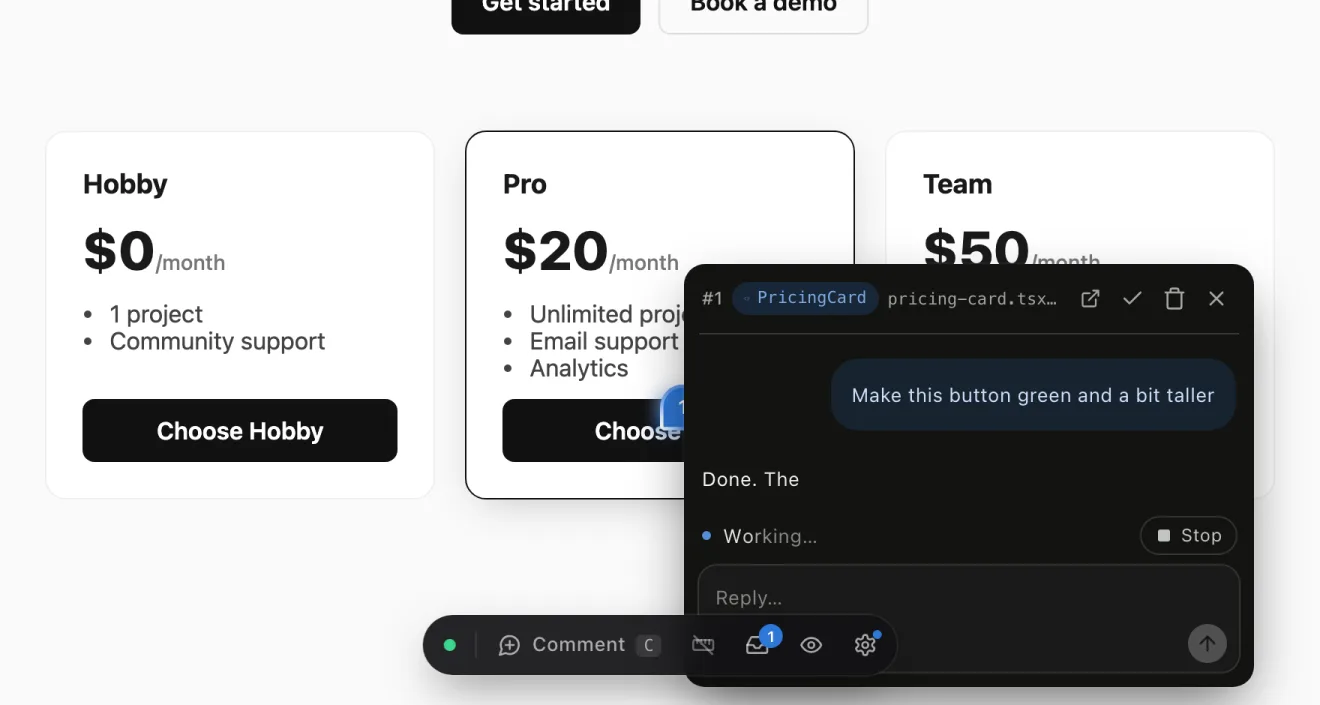
Know when T3 Code is waiting for you
With T3 Code 0.1.0, “Waiting for approval” appears only when your approval is needed. It no longer flashes after every reply or misses actual approval requests. Questions from the agent show “Waiting for your answer”.
Install or update Tencil
Run npx tencil in your project to get started. To update an existing install, run the command below. On Tencil 0.8.0 or later, you can also update from the overlay’s settings (About in 0.10.0 or later).
terminal
npx tencil@latest setup